How I ran DeepSeek Harness (dsh) safely and scalably on Docker and Kubernetes (Part 1)
When I wanted to run it on Kubernetes, the question was not how to start it, but what it needs in order not to break, to scale and, above all, to run the container in the safest possible way.
How I ran DeepSeek Harness (dsh) safely and scalably on Docker and Kubernetes (Part 1)
🛠️
Series:Exploring a safe way to run DeepSeek Harness: how I implemented it on Kubernetes. Part 1 of 2.
Would you let an AI agent that reads your files, spawns subprocesses, reads provider API keys, uses shells, can change system settings and, on top of that, is proprietary code run freely on your machines? (cough, cough... claude) I, for one, would not.
That is why I turned my attention to DeepSeek Harness (DSH): an open source (MIT license) harness for autonomous agents, built on the idea that "everything is a plugin", among other features that do not matter right now and that you can clearly go look at yourself. Important detail: current versions count as developer preview, so breaking changes are an announced feature of the journey.
When I wanted to run it on Kubernetes, the question was not how to start it, but what it needs in order not to break, to scale and, above all, to run the container in the safest possible way. That is where sredevopsorg/deepseek-kubernetes-sandbox came from, the repo we maintain in the organization.
Its main artifact is a DSH Web image (dsh web), based on debian trixie, slim, rootless and multi-architecture (amd64 and arm64). Everything else exists to support that image or to show an implementation on top of it.
This first part is the image: how to run it, why its build trusts digests rather than tags, and the runtime contract that keeps it out of a crash loop. In the upcoming part 2 we will explain how to deploy it on Kubernetes, with far stronger isolation and the option to use oAuth2 to manage different users with their own preconfigured environment.
-e DEEPSEEK_API_KEY takes the value from your shell environment, so the key never ends up in the image or in your history as an argument. The named volume stores both DSH state and the agent workspace.
Open http://localhost:3080 and you get a 401. It is not a bug. DSH Web does nothing useful on a bare / without its launch token cookie, and the one-time token shows up only in the startup logs. Open the printed URL with ?token=... once; DSH sets its authentication cookie and the UI works normally afterwards. If port 3080 is taken on your machine, map another one and set DSH_PUBLIC_URL; otherwise the URL in the log points to a port where nobody is listening.
Treat that token like a password. It lives in your logs, and logs end up in three places you already forgot about.
A build that refuses to trust tags
The Dockerfile is a two-stage build, and both stages start from node images pinned by digest in versions.env. The reason is simple: a tag can be repointed to another build without telling you. The repo's verification script rejects any base image reference without an @sha256:, and the build stage also clones upstream DSH at a fixed ref and checks that the clone's HEAD is exactly DSH_COMMIT. If upstream moves the tag, the build fails loudly instead of silently packaging other code.
Then come the pnpm dependencies (enabled via corepack at a fixed version), the production build and the @deepseek-ai/dsh CLI packaged with pnpm pack. In the runtime stage I copy the result to /app on top of node:24-trixie-slim, also pinned by digest, and add the tools agents actually use: git, ripgrep, jq, yq, curl, wget, gh, uv and tini, plus bubblewrap as the preferred runner for DSH's command sandbox.
make image is the canonical entry point; every pin lives in versions.env and make check fails when one drifts. The image labels record the upstream DSH ref and the release revision, so you can go from a running container back to a commit without guessing.
Tags are mutable promises; digests and commit SHAs are contracts. This repo trusts auditable contracts.
The runtime contract
One volume, two homes
DSH state — conversations, sessions, configuration, credentials — lives at the root of /home/node/.dsh (DSH_HOME). The agent workspace is its workspace/ subdirectory, which is also the image's HOME and WORKDIR.
I set that layout on purpose. DSH's folder picker opens at $HOME and has no initial path setting, so pointing HOME inside the volume makes the picker, your runs, the npm/uv/git caches and DSH's global skills in ~/.agents persist. Mount a volume at DSH_HOME and everything survives restarts.
0:00
/1:00
ghcr.io/sredevopsorg/deepseek-kubernetes-sandbox:dsh-v0.2.2-rc.2 running in local Podman, validating the runtime environment and the available programs
On Kubernetes, the templates in the repo add a second mount of the workspace subPath from the same PVC at /home/node/.dsh/workspace. It is not a second volume: it is a trick so the kubelet creates the directory and changes its owner before the container starts. Without it, the runtime creates the missing working directory as root, and the unprivileged node user (UID/GID 1000) cannot write to its own home.
Docker has the mirror-image trap: a named volume created by an old image is not repopulated from the new one. Create workspace/ once with owner 1000:1000 before starting. A new volume copies the image's directory automatically, which is what Docker volume semantics are after.
Probes, ports and signals
/ is not a health endpoint. Use /favicon.svg: it requires no authentication, it is served by the web layer, and it proves the HTTP server is up without triggering the auth flow. A liveness probe against / will send your pod into a crash loop with admirable consistency.
That is why I gave the startupProbe a two-minute budget: plugin activation can outlast a default liveness probe.
The rest of the contract: a single port (3080) serves the UI, assets, the API, SSE and WebSocket. tini runs as PID 1, reaps zombies and forwards SIGTERM; the entrypoint execs dsh web so signals actually reach Node. The process is not root, DSH_HOST auto-detects the pod IP when left empty, and NODE_ENV=production is set. Behind a proxy, add your public hostname to DSH_TRUSTED_HOSTS: DSH rejects Host values it does not know, and only localhost and 127.0.0.1 are always trusted.
The sandbox inside the sandbox
Here is the part almost every demo skips. DSH puts its own bash commands in a sandbox, a second isolation layer inside the container sandbox you are already running. Its Linux runners are bubblewrap and then Landlock, and it fails closed with SANDBOX_UNAVAILABLE instead of running a command outside the sandbox.
Options for DSH_PERMISSION_MODE
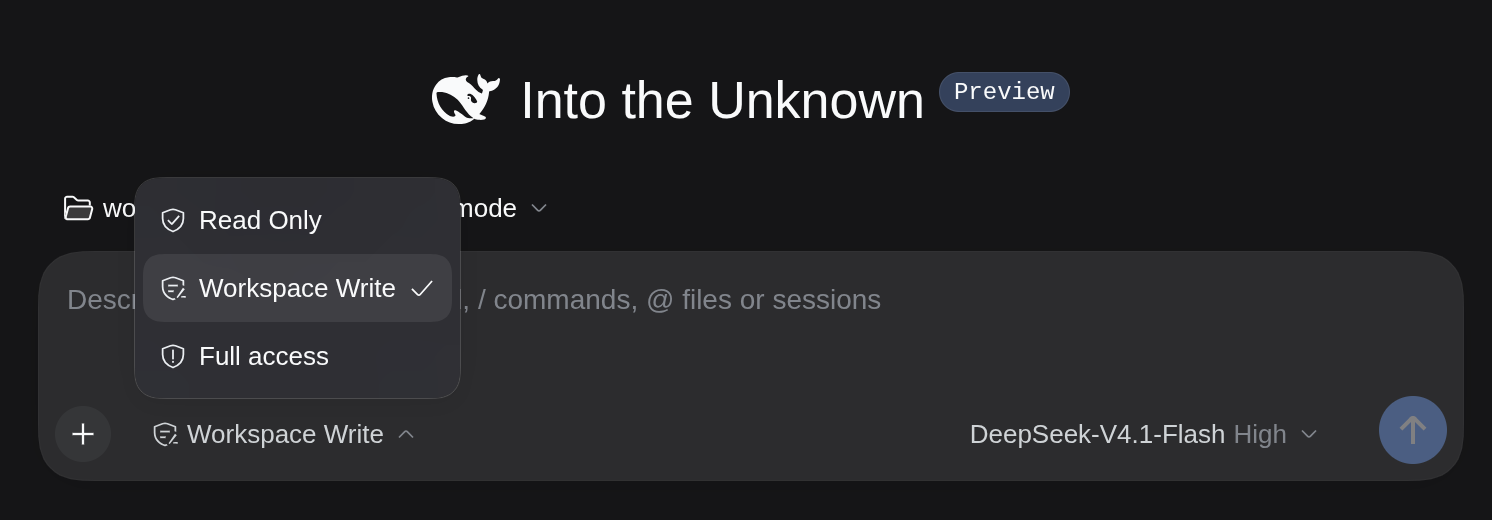
DSH_PERMISSION_MODE defines the policy: read-only, workspace-write (the image default) or danger-full-access, which allows running processes with the same permissions as the machine's user and also disables approval requests.
Choose the last one only when the pod or VM running it is the "isolation boundary" you actually trust. In this case, if you are running the image on your local machine without rootless Docker, that is not the best idea. In my case I use Podman, which, at least on recent Linux versions, installs in rootless mode by default, so it gives me a small isolation boost (again, SMALL) to test the different
And watch out for this: the workspace lives insideDSH_HOME, so a shell that wanders into the parent directory can reach .credentials.yaml. The container was never a secret from the agent.
In part 2 I show the answer to that uncomfortable paragraph with gVisor and NetworkPolicy.
Credentials: injected, never baked
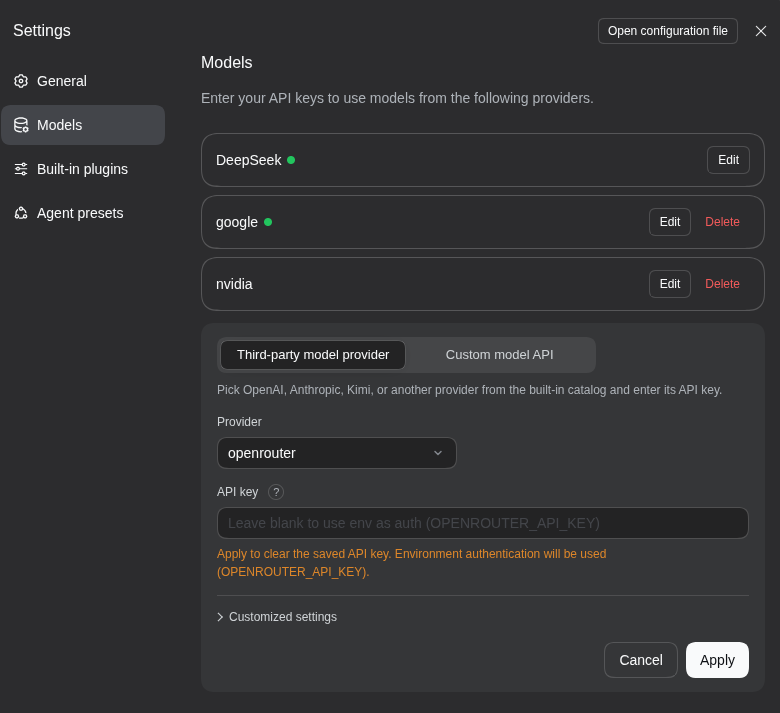
DSH resolves API keys from the standard environment names where it runs, in case you want to use some other provider, for example: DEEPSEEK_API_KEY, OPENROUTER_API_KEY, OPENAI_API_KEY, ANTHROPIC_API_KEY, GEMINI_API_KEY (not GOOGLE_API_KEY), MISTRAL_API_KEY, HF_TOKEN and the rest of its provider catalog. I inject them with -e in Docker/Podman or with a Secret and envFrom in Kubernetes. Never inside an image or in a commit.
One ordering detail matters during rotation: a key stored in DSH's credential store ($DSH_HOME/.credentials.yaml) takes priority over the environment. Rotate only the Secret and nothing may change. If a key is missing the UI does not break either; only model calls fail.
Immutable releases, pinned digests
The release identity is the upstream DSH ref plus a repository revision: DSH_VERSION=dsh-v0.2.2-rc.2 with RELEASE_REVISION=r3 gives dsh-v0.2.2-rc.2-r3. Tags are immutable; a broken release gets fixed by publishing -r(N+1), never by re-tagging.
I publish the multi-architecture image (linux/amd64, linux/arm64) to GitHub Container Registry:
Tag
Meaning
dsh-v0.2.2-rc.2
Current release identity; it does not move once published
latest
Most recent release; same digest as the identity tag
main
Development channel; not a release, not for production
Production deployments should pin the digest, and release builds publish SBOM and provenance attestations: metadata about what you are running and how it was built, not a name you hope still means the same thing it did yesterday:
docker buildx imagetools inspect ghcr.io/sredevopsorg/deepseek-kubernetes-sandbox:dsh-v0.2.2-rc.2
# pin in your manifests:
#   image: ghcr.io/sredevopsorg/deepseek-kubernetes-sandbox@sha256:<digest>
What will we see in Part 2?
A container is a demo; the platform is the goal. In part 2 I build on this image with kubernetes-sigs/agent-sandbox: one DSH instance per user provisioned from a warm pool, suspended when idle with state intact on PVCs, and in front of it a browser gateway that performs the launch token handshake server-side and exposes GitHub SSO at the edge. On top of that, the opt-in hardening with gVisor and NetworkPolicy that this post keeps pointing at.
Start with the agents-as-a-service example. In the meantime: pin your digests, probe the favicon and do not let your agent's first act be reading its own credentials.
Una instancia de DeepSeek Harness por usuario sobre agent-sandbox: warm pools, suspensión por inactividad, un gateway con sesiones opacas y el hardening que la demo no trae.
Cuando lo quise correr en Kubernetes, la pregunta no era cómo levantarlo, sino qué necesita para no romperse, poder escalar y por sobre todo poder ejecutar el container de la forma más segura posible.