Mission Center: A new and great app for monitoring your Linux desktop
Let’s face it: top is for the masochists, and htop is for the people who want to feel like they’re in The Matrix. But sometimes, you just want to see your CPU melting in high definition without squinting at an ASCII bar chart. Enter Mission Center, a modern,
Let’s face it: top is for the masochists, and htop is for the people who want to feel like they’re in The Matrix. But sometimes, you just want to see your CPU melting in high definition without squinting at an ASCII bar chart. Enter Mission Center, a modern, Rust-powered system monitor that actually looks like it belongs in the current decade.
Built with GTK4 and Libadwaita, it provides a sleek interface to watch your hardware struggle under the weight of your 400 open Chrome tabs.
Features: More than just pretty graphs
Mission Center isn't just a pretty face; it’s a comprehensive tool for SREs and developers who need to know exactly why their local environment is screaming.
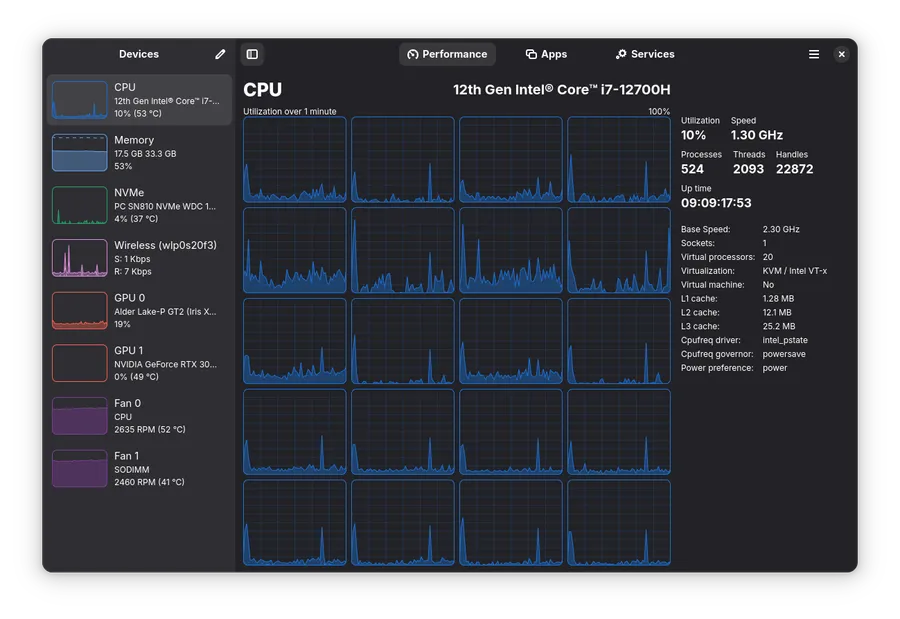
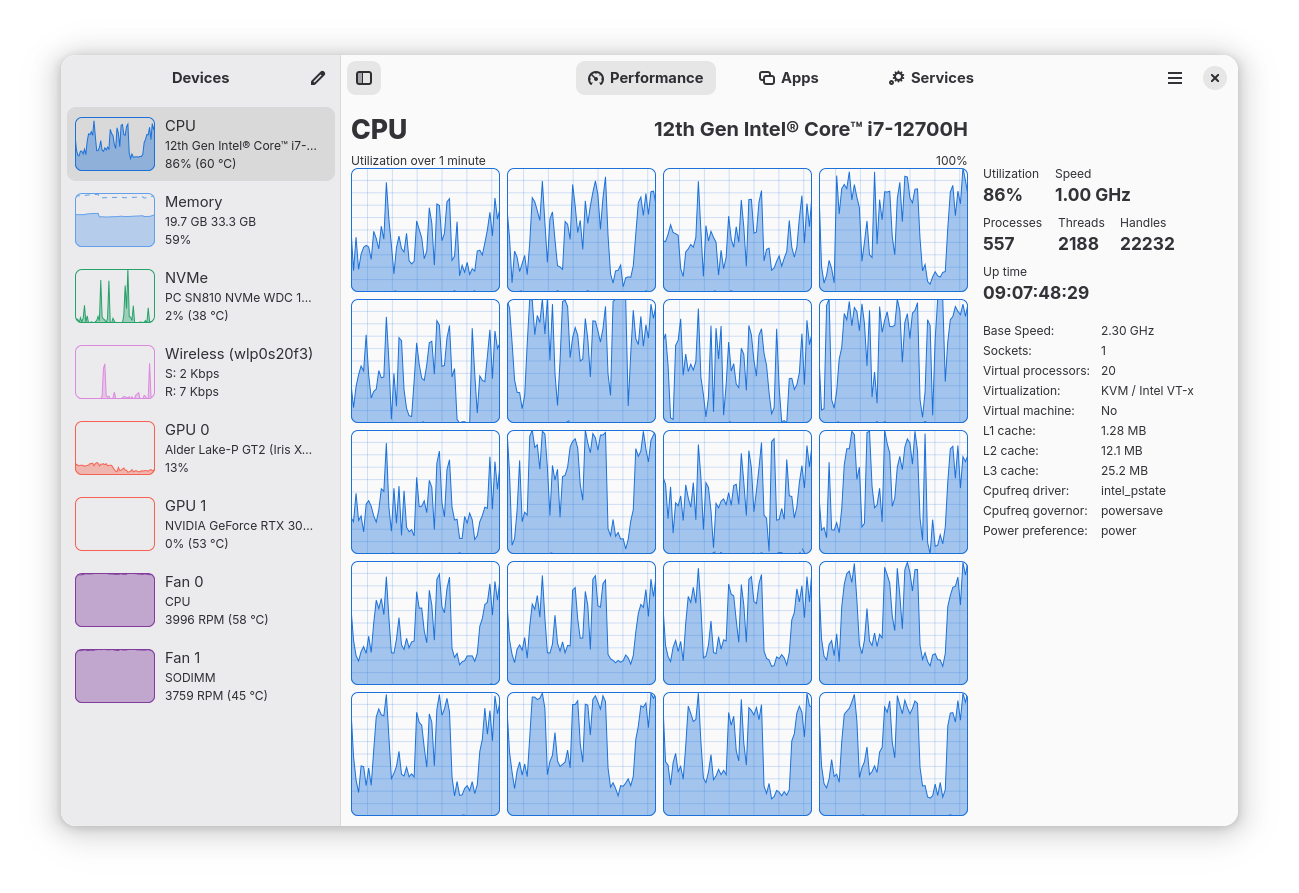
Granular CPU tracking: Monitor overall usage or dive into per-thread metrics. It tracks uptime, clock speeds, and cache sizes, so you can see exactly how much potential you're wasting.
Memory and swap analysis: A detailed breakdown of RAM usage, because we all know "cached" memory is just the OS's way of saying "I'll give it back when I feel like it."
Disk and network I/O: Real-time transfer rates and utilization. It even identifies your network card name and IP address, saving you a trip to ip addr show.
GPU monitoring: Powered by the legendary NVTOP project, it tracks GPU usage, video encoders/decoders, and power consumption.
Resource efficiency: Written in Rust for performance and memory safety. It uses hardware-accelerated rendering for graphs, because using 20% of your CPU just to monitor your CPU is a design flaw we’ve finally moved past.
The "work in progress" (Limitations)
Nothing is perfect, especially in the Linux desktop ecosystem. Here is what might annoy you:
Per-process network monitoring: This requires a bit of manual labor. If you want to see which app is leaking data, check the Nethogs wiki.
Intel GPU gaps: Support is limited to Broadwell and newer. If you're rocking a vintage Intel chip, don't expect to see VRAM or temperature stats.
Cinnamon/Linux Mint issues: There is a known upstream bug where launched apps might not show up in the "Applications" section.
Theming: Since it’s a Libadwaita app, it follows its own rules. It won't care about your custom "Cyberpunk 2077" system theme.
Installation: Pick your poison
Mission Center is widely available across the Linux landscape. It even comes pre-installed on modern atomic distros like Bluefin and Bazzite.
Un malware corriendo dentro de un contenedor puede explotar un bug del kernel, escalar a root y, de repente, está en el host. El límite del contenedor se vuelve decorativo.
Si Omarchy Quattro es un vistazo en funcionamiento de ese futuro, la fundación es el motor institucional para hacerlo duradero. Las marcas registradas, la infraestructura y las subvenciones no son emocionantes. Tampoco lo es el interior de un firewall. Pero sin ellos, la visión muere.