How to run a Linux Desktop in your browser? WebVM 2.0
(WebAssembly) is the answer!
Wait, WHAT!?
Remember the days when running a full Linux desktop meant partitioning hard drives, configuring bootloaders, and sacrificing your precious weekend to the gods of system administration? Well, friends, those days are over (sort of). WebVM 2.0 lets you run a complete Linux environment, including a desktop, entirely
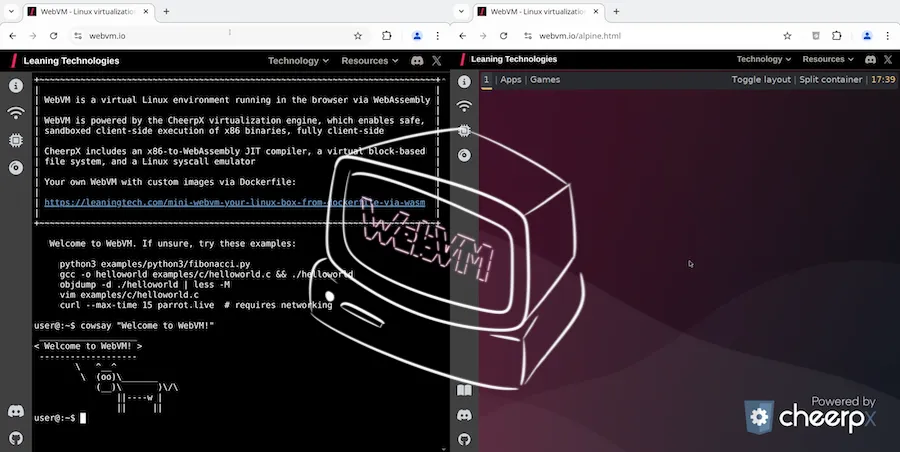
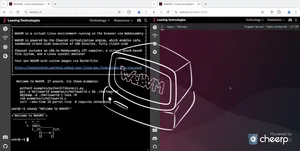
Remember the days when running a full Linux desktop meant partitioning hard drives, configuring bootloaders, and sacrificing your precious weekend to the gods of system administration? Well, friends, those days are over (sort of). WebVM 2.0 lets you run a complete Linux environment, including a desktop, entirely within your browser. Yes, you read that right. Your browser. Thanks to the magic of WebAssembly, HTML5, and a touch of dark sorcery (or maybe just clever engineering), WebVM brings a full Linux VM, persistent storage, networking, and even Xorg to your browser, all client-side. No more dual-booting, no more VMs eating your RAM, just pure, unadulterated Linux in a tab. Check out the Alpine Linux / Xorg / i3 environment to see it in action.
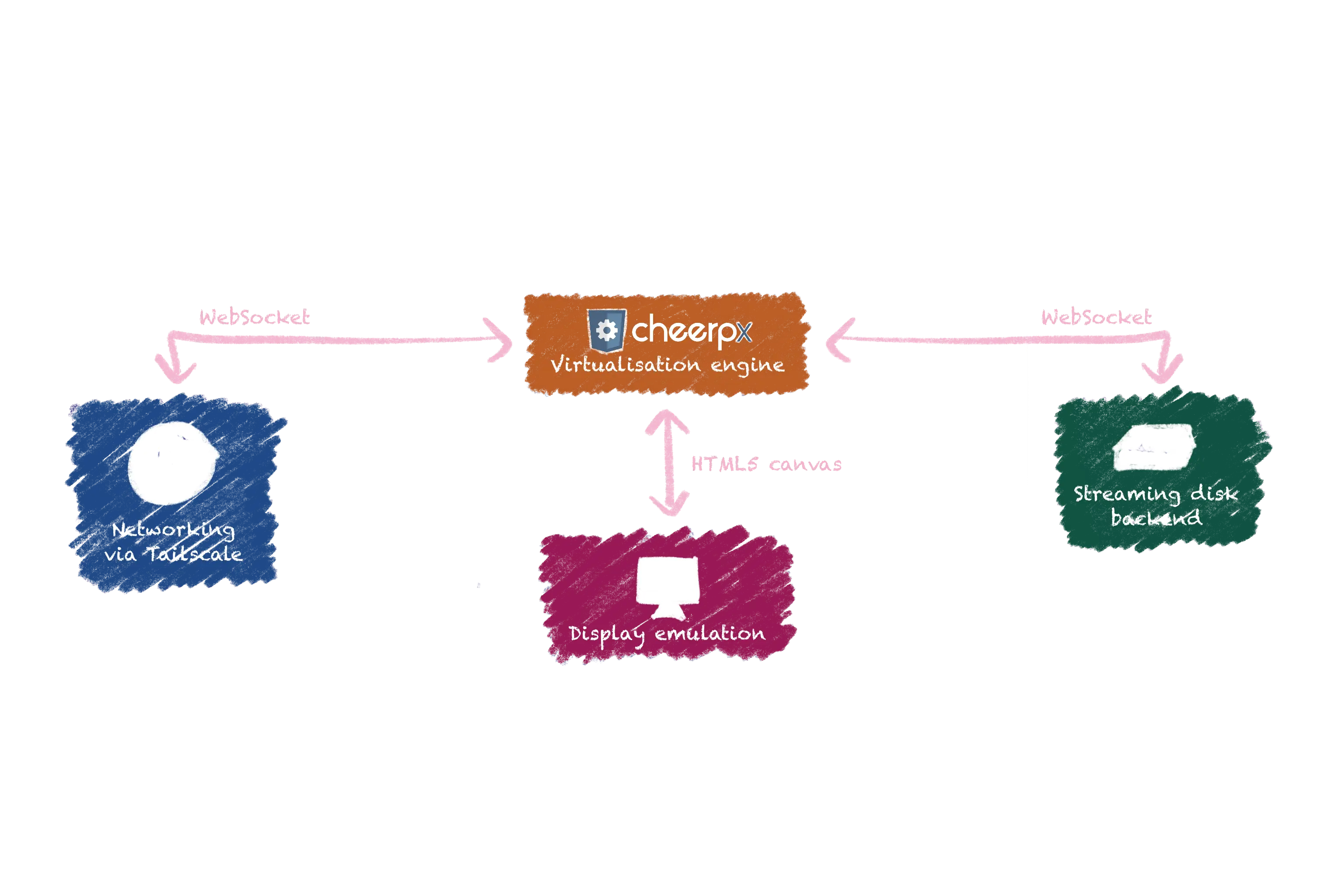
WebVM is built on four pillars of modern web technology:
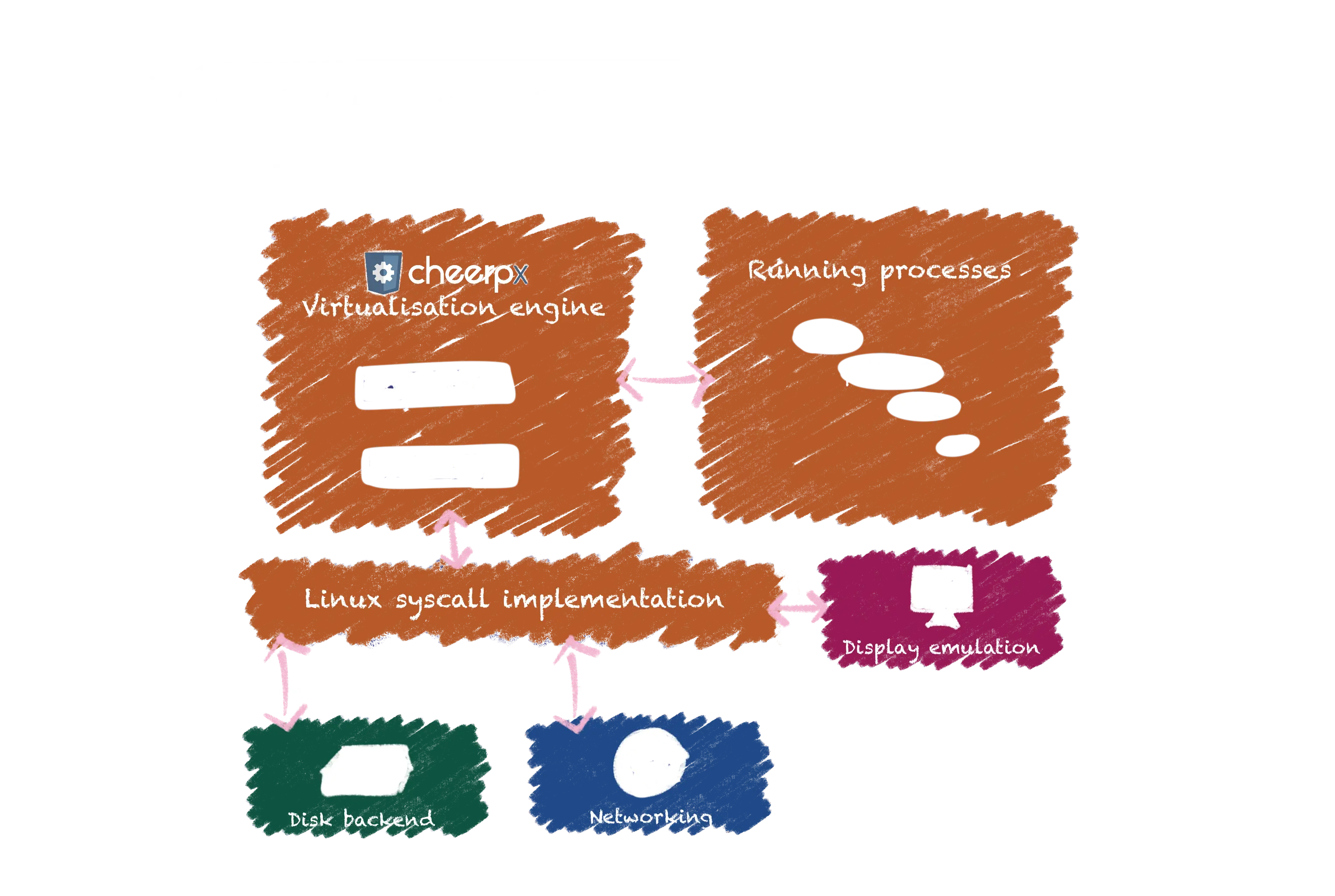
CheerpX Virtualization Engine: This WebAssembly-based engine is the heart of WebVM. It's a JIT compiler that translates x86 instructions into WebAssembly, coupled with an emulation layer for Linux system calls. This allows it to run unmodified Linux x86 binaries directly in your browser.
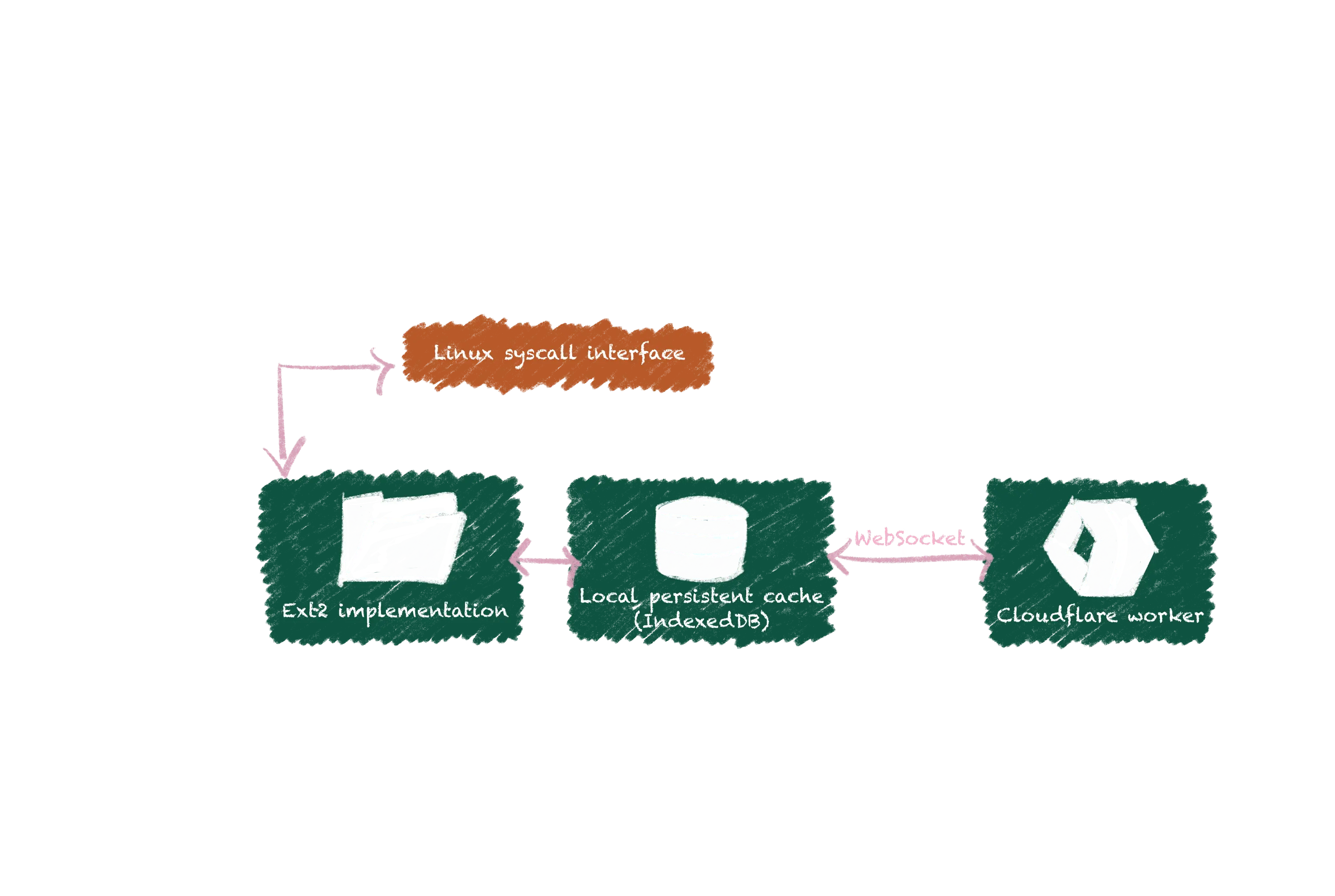
Streaming Disk Backend: Booting a full Linux distro requires a hefty file system. WebVM cleverly avoids downloading the entire image upfront by using a streaming disk backend. It downloads 128kb blocks on demand from a Cloudflare Worker, ensuring low latency and a smooth experience. Changes are saved to your browser's IndexedDB, providing persistence.
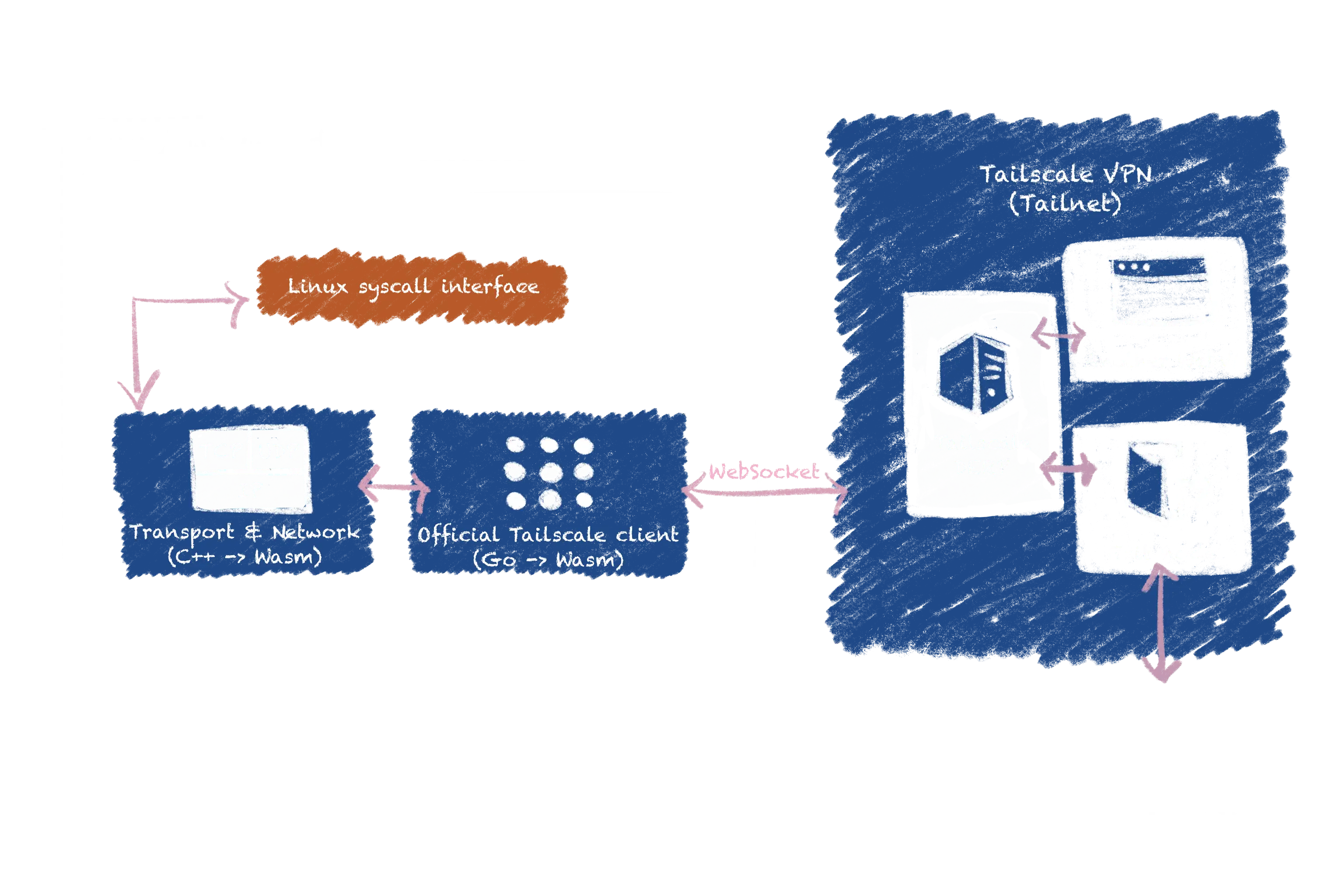
Networking Layer: Networking in a browser is tricky. WebVM uses Tailscale to create a private VPN, allowing the VM to access the internet (and other WebVMs) securely.
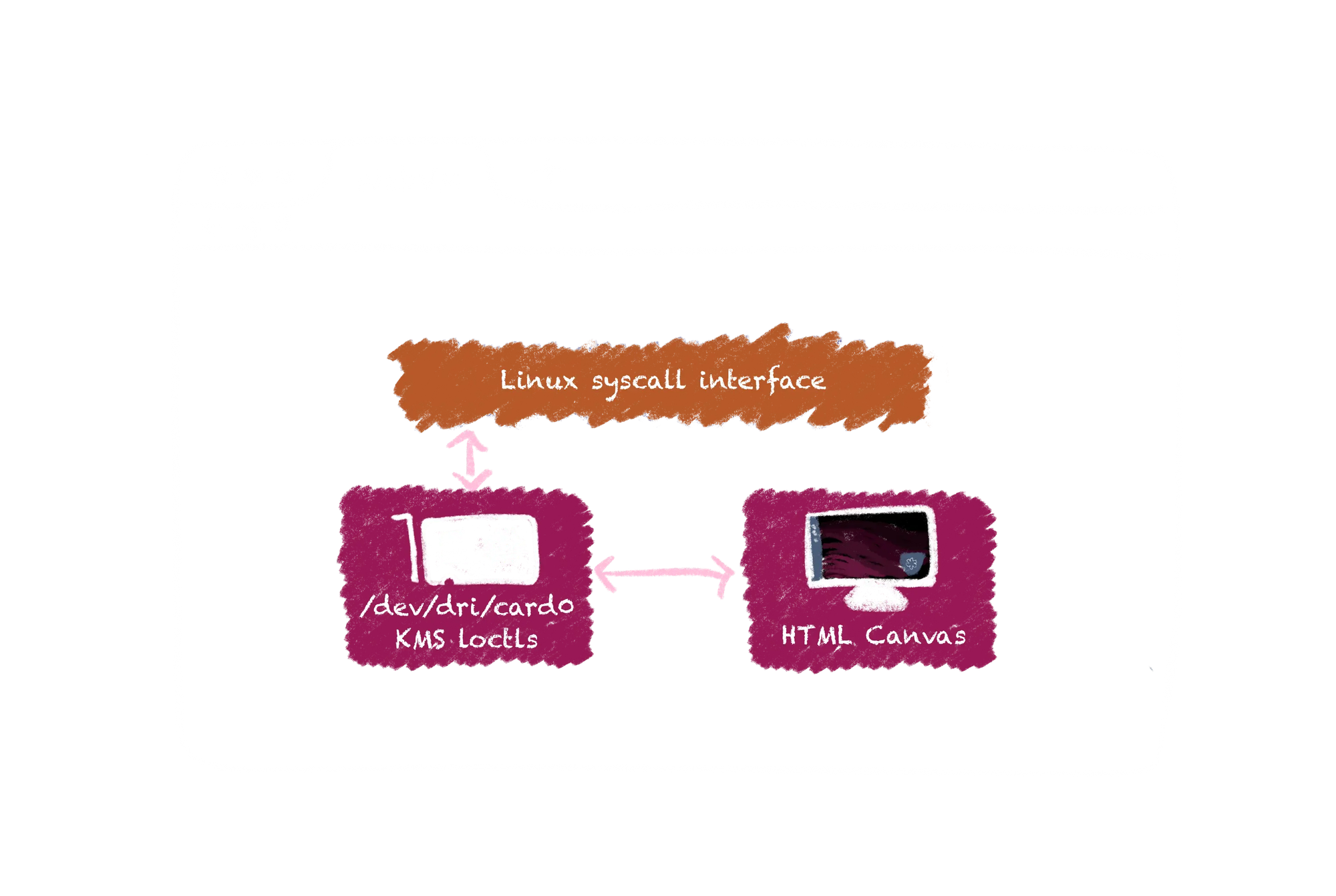
Emulated Graphical Device: WebVM supports Xorg using the Linux KMS (Kernel Modesetting) API, enabling graphical applications and desktop environments. Currently, the lightweight i3 window manager is featured, but support for heavier environments like XFCE is planned.
CheerpX: x86 Virtualization Without the Voodoo Dolls
CheerpX is the core technology behind WebVM. It's a secure, robust, and performant x86 virtualization engine built entirely on WebAssembly and browser APIs. It runs within the browser sandbox, isolating the virtualized applications from your local system. Think of it as a tiny, self-contained universe of Linux running in your browser tab.
CheerpX is not just for WebVM. It also powers CheerpX for Flash (because someone has to keep those ancient Flash apps alive), the CheerpX Games Runner (for playing GOG games in your browser), and is available as an NPM package.
Disk Management: Because Nobody Likes a Full Disk
WebVM's streaming disk backend is a key innovation. It uses WebSockets and Cloudflare Workers to download disk blocks on demand, minimizing latency and bandwidth usage. Read-write support and local persistence are handled by IndexedDB, so your changes are saved even if you close your browser.
Networking: It's Not Just for Cat Videos Anymore
Networking in a browser environment is a challenge. WebVM tackles this by integrating with Tailscale, creating a private VPN that allows the VM to connect to the internet and other WebVMs. This approach avoids the scaling, privacy, and abuse issues associated with traditional proxy-based solutions.
Graphics: Xorg and the KMS API (It's Less Scary Than It Sounds)
WebVM supports graphical applications and desktop environments through Xorg and the Linux KMS (Kernel Modesetting) API. This allows for a smooth transition from kernel messages to boot animation to Xorg without the dreaded screen flicker. Currently, WebVM features the i3 window manager, but support for heavier environments like XFCE is on the roadmap. Wayland support is also planned, but it will take some time.
Why Would Anyone Do This?
WebVM is a showcase for CheerpX and a useful tool in its own right. It provides a convenient way to access command-line tools, run code snippets, and even manage git repositories on the go. It's also a potential game-changer for education, offering zero-maintenance and zero-cost access to development environments. And let's be honest, running a full Linux desktop in your browser is just plain cool.
The Future is Bright (and Probably Running in a Browser)
The release of WebVM 2.0 and CheerpX 1.0 is just the beginning. Future plans include improved performance, support for Docker containers, and enhancements to the WebVM UX. The possibilities are as vast as the internet itself (or at least as vast as your browser's memory).
You don't have any excuses to try Linux!
WebVM is a fascinating project that pushes the boundaries of what's possible in a web browser. It's free, open-source, and available for anyone to use, modify, and improve. If you encounter any bugs, please report them on GitHub. And if you have any questions, join the Leaning Technologies community on Discord.
Durante años, la industria de la infraestructura nos vendió la idea de que bastaba con borrar /bin/sh de un contenedor para llamarlo seguro. El término distroless se transformó en la insignia de honor favorita de los equipos de DevSecOps.