Mission Center: A new and great app for monitoring your Linux desktop
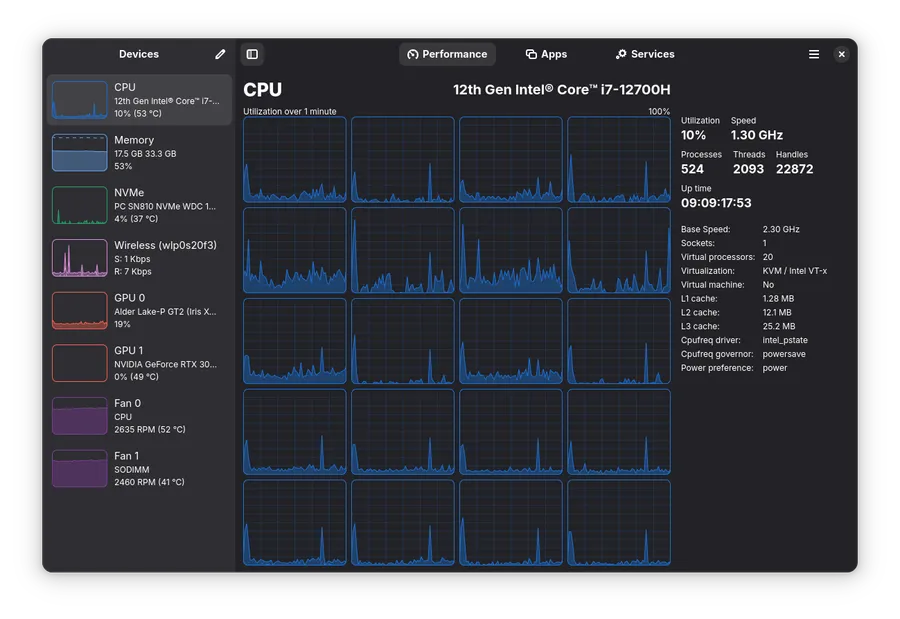
Let’s face it: top is for the masochists, and htop is for the people who want to feel like they’re in The Matrix. But sometimes, you just want to see your CPU melting in high definition without squinting at an ASCII bar chart. Enter Mission Center, a modern, Rust-powered system monitor that actually looks like it belongs in the current decade.
Built with GTK4 and Libadwaita, it provides a sleek interface to watch your hardware struggle under the weight of your 400 open Chrome tabs.
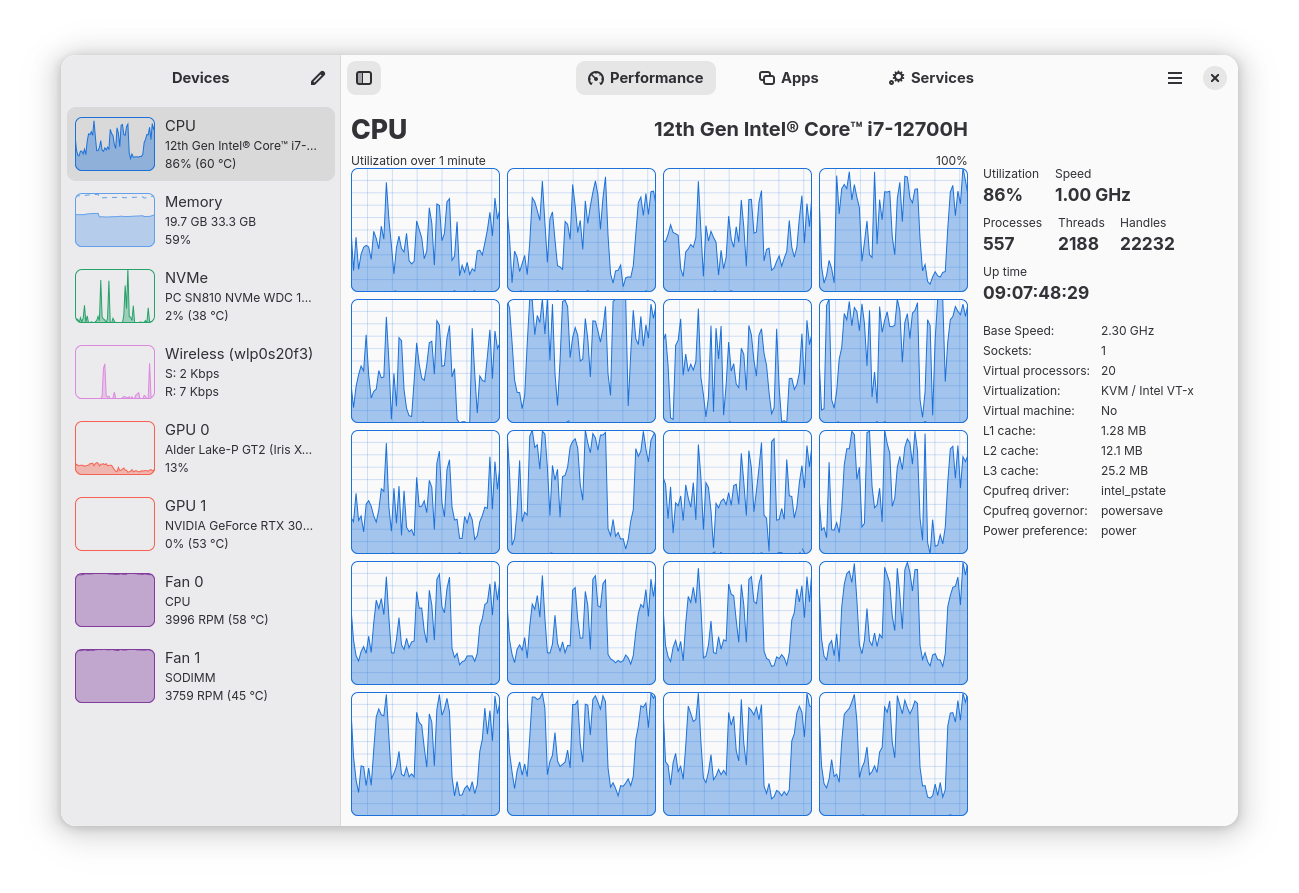
Features: More than just pretty graphs
Mission Center isn't just a pretty face; it’s a comprehensive tool for SREs and developers who need to know exactly why their local environment is screaming.
- Granular CPU tracking: Monitor overall usage or dive into per-thread metrics. It tracks uptime, clock speeds, and cache sizes, so you can see exactly how much potential you're wasting.
- Memory and swap analysis: A detailed breakdown of RAM usage, because we all know "cached" memory is just the OS's way of saying "I'll give it back when I feel like it."
- Disk and network I/O: Real-time transfer rates and utilization. It even identifies your network card name and IP address, saving you a trip to
ip addr show. - GPU monitoring: Powered by the legendary NVTOP project, it tracks GPU usage, video encoders/decoders, and power consumption.
- Resource efficiency: Written in Rust for performance and memory safety. It uses hardware-accelerated rendering for graphs, because using 20% of your CPU just to monitor your CPU is a design flaw we’ve finally moved past.
The "work in progress" (Limitations)
Nothing is perfect, especially in the Linux desktop ecosystem. Here is what might annoy you:
- Per-process network monitoring: This requires a bit of manual labor. If you want to see which app is leaking data, check the Nethogs wiki.
- Intel GPU gaps: Support is limited to Broadwell and newer. If you're rocking a vintage Intel chip, don't expect to see VRAM or temperature stats.
- Cinnamon/Linux Mint issues: There is a known upstream bug where launched apps might not show up in the "Applications" section.
- Theming: Since it’s a Libadwaita app, it follows its own rules. It won't care about your custom "Cyberpunk 2077" system theme.
Installation: Pick your poison
Mission Center is widely available across the Linux landscape. It even comes pre-installed on modern atomic distros like Bluefin and Bazzite.
- Flatpak (Recommended):
flatpak install flathub io.missioncenter.MissionCenter - Snap:
snap install mission-center - AppImage: Grab the latest x86_64 or ARM64 builds from the GitLab releases.
For those who enjoy tracking versions across repositories, check the Repology status.
 Mission Center Developers
 Nicolás Georger
Building from source: For the brave
If you insist on compiling it yourself (perhaps to feel something), here is how you do it on a modern system like Ubuntu 25.10.
Prerequisites
You'll need the usual suspects: Meson, Rust (1.90+), GTK4 (4.20+), and Libadwaita (1.8+).
sudo apt install build-essential cmake curl desktop-file-utils gettext git \
libadwaita-1-dev libdbus-1-dev libdrm-dev libgbm-dev libudev-dev meson \
pkg-config protobuf-compiler python3-gi python3-pip
Native build
BUILD_ROOT="$(pwd)/build-meson-debug"

# Setup and compile
meson setup "$BUILD_ROOT" -Dbuildtype=debug
ninja -C "$BUILD_ROOT"

# Run it
"$BUILD_ROOT/src/missioncenter"
Flatpak build
If you prefer the containerized approach for development:
cd flatpak
flatpak-builder --repo=repo --ccache --force-clean build io.missioncenter.MissionCenter.json
flatpak build-bundle repo missioncenter.flatpak io.missioncenter.MissionCenter
flatpak install -y missioncenter.flatpak
Contributing and support
The project is hosted on GitLab. If you find a bug, report it. If you want to talk shop, join their Discord.
Supporting the ecosystem
Instead of just tossing coins at this project, consider supporting the giants it stands on:
License
Mission Center is licensed under the GNU General Public License v3.0. It’s free as in "freedom," not just free as in "I didn't pay for this."
Source: Mission Center GitLab


Related content
sudo's latest "trick": when chroot and nsswitch conspire against you (cve-2025-32462)
Ah, sudo. The trusty command that grants mere mortals the power of a deity (root, that is) on a Linux system. It's the gatekeeper, the bouncer, the one program we all implicitly trust to elevate our privileges without turning our beloved machine into a digital wasteland. And precisely
Read the full post →
Multipass, la forma fácil y rápida para crear máquinas virtuales Ubuntu, compatible con macOS y Windows, ahora es completamente Open Source
Multipass es la herramienta perfecta para levantar clústeres de Kubernetes locales y desechables. ¿Necesitas probar algo rápido? ¿Una demo? ¿O simplemente quieres cachurear sin ensuciar tu máquina principal? Multipass es tu mejor amigo.